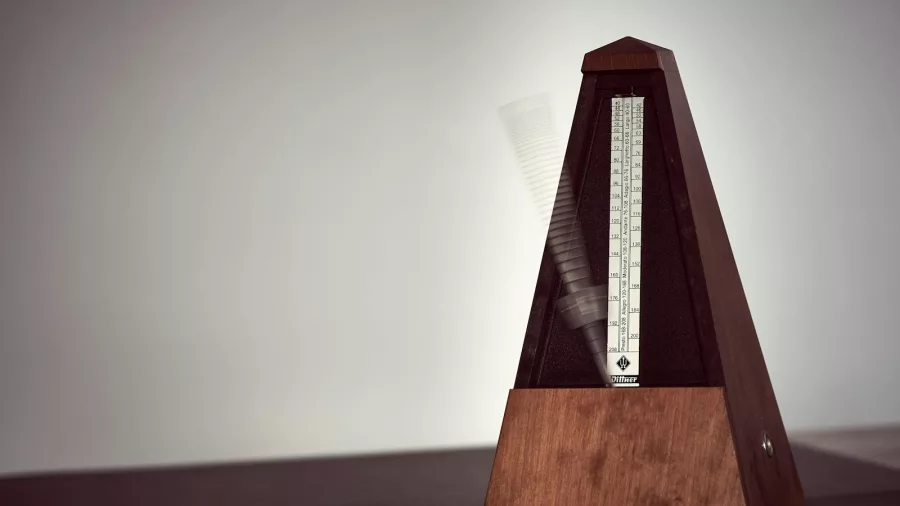
If you've ever tried to build a Lindy Hop playlist with the help of Spotify's tempo data, an audio-analysis app, or a DJ tool's BPM detection, you've almost certainly run into this: a song that obviously swings at a dance-friendly 140 BPM gets tagged as 70. Another comfortably medium-tempo classic is suddenly labelled 260. The numbers look broken, and they often are. This article explains why, and what DJs and dancers can actually trust.
What BPM really measures
Beats per minute is supposed to answer a simple question: how many beats happen in 60 seconds? For most modern pop and electronic music, that question has a clear answer, because the kick drum marks the beat loud and clear on every pulse.
Swing music is different. The rhythm section is playing a walking bass line, a ride cymbal pattern, and a kick that often hits on beats 2 and 4 instead of 1 and 3. There is no single "thud" to count. A computer looking at the waveform has to guess what the beat is, and that guess can land at the right tempo, at half the tempo, or at double the tempo. All three versions are mathematically consistent with the music.
The double-BPM (and half-BPM) bug
Here is the core of the problem. If a song has a real tempo of 140 BPM, a beat detector might lock onto the eighth-note subdivision of the rhythm and report 280. Or it might lock onto the half-note pulse and report 70. Both are "correct" in the sense that they match the music, but neither is the number a Lindy Hopper would use.
This is called the tempo octave error or half-time / double-time detection error. It is a known, documented failure mode of every automated BPM system. Academic papers going back twenty years discuss it. Spotify's tempo field, Apple Music's data, most consumer apps: they all do it, and swing music is one of the genres where it happens most.
Why swing is particularly hard
Photo: Alena Jarrett on Unsplash.
Three features of swing music trip up tempo detectors:
- Syncopation. Important rhythmic events happen off the beat. Detectors trained on pop music assume the loudest hits are on the beat. With swing, that's often false.
- The ride cymbal. A continuous triplet pattern on the ride sounds like a lot of short notes, and detectors can mistake them for eighth notes at double the real tempo.
- Soft kick drums. On classic 1930s and 1940s recordings the kick is barely audible. Without a clear low-frequency pulse, the algorithm has to infer the beat from everything else, which is much harder.
The result: the slower and more "vintage" the recording, the more likely you are to get a doubled BPM back. The faster and more modern the recording, the more likely you are to get a halved BPM. Sometimes both errors happen in the same playlist.
What this means in practice
If you're a DJ filtering Spotify by BPM, or sorting a library with an app like Mixed In Key, Serato, or Rekordbox, you will get a chunk of swing tracks in the wrong tempo bucket. A 130 BPM medium Ella Fitzgerald can show up as 65 and be filed next to the slow dances; a 160 BPM Chick Webb burner can show up as 80 and never make it onto your fast set.
This has two practical consequences:
- Playlists built only from automated BPM data will misread the room. You'll think you're programming a medium song when you're about to drop a floor-clearer. (If "medium" versus "floor-clearer" feels vague, our guide to Lindy Hop BPM zones breaks down what each range actually feels like on the dance floor.)
- BPM-based filters will miss perfectly good tracks. A search for "140-160 BPM swing" will exclude songs that are in that range but got mislabelled at 70-80.
How to read around the numbers
Three defences, from easiest to most thorough:
1. Trust the feel test
Count along to the song for ten seconds. If you can't tap a comfortable walking pace, you're probably counting at double or half time. Switch, recount, and use that number. It takes five seconds per song and is still more reliable than any single automated source.
2. Cross-reference two sources
If Spotify says 70 but Tunebat says 140, trust 140. Two independent detectors converging on the same answer is a strong signal. Two detectors disagreeing by exactly a factor of two is the textbook symptom of this bug.
3. Use a swing-aware tool
This is where SwingPlaylist is different. When the generator builds your playlist, it checks the BPM against a curated reference cache of over 2000 Lindy Hop tracks that have been tempo-verified by dancers. If an AI-suggested song has a suspicious BPM (say, 70 when dancers know it's 140), the generator catches the conflict and corrects it. You don't see the failure modes described above, because they're filtered out before the playlist reaches you.
The takeaway
Automated BPM detection is not broken. It's working exactly as designed, answering the mathematically valid question of "how fast is this rhythm," without knowing which pulse a dancer would count. For pop music that's fine. For Lindy Hop, it's wrong often enough to matter.
If you build playlists by hand, learn to spot the signs: suspiciously low BPMs on obviously upbeat songs, suspiciously high BPMs on slow dances. For a walkthrough of how to actually arrange those tempos across a three-hour social once you've got the numbers right, see our DJ's guide to building a Lindy Hop social playlist. If you want the problem solved for you, that's literally what SwingPlaylist is for. And if you ever want to know why your Spotify "60 BPM" workout track is actually a 120 BPM Count Basie swing burner, now you know.